ChatGPT Outage: How to Check Status & What to Do Next
HyppeSocial November 15th, 2025 Artificial Intelligence
ChatGPT Outage: A Practical Guide for Users and Developers
A recent ChatGPT outage highlighted the platform's critical role in many daily workflows by affecting both its API services and direct user interactions like file uploads. When a tool this integrated into business and personal productivity experiences downtime, it can cause significant disruption. This guide provides a practical framework for identifying service issues, understanding their impact, and implementing strategies to minimize the effects of future interruptions.
Instead of just waiting for the service to return, you can take specific steps to confirm the problem, understand its scope, and prepare your workflow for when the platform is operational again. We will cover how to use official channels for updates and what actions you can take when encountering specific errors.
How to Verify a ChatGPT Outage
Before assuming the problem is on your end, it's important to check for widespread issues. A system-wide outage requires a different response than a local network or browser problem. Here is how you can reliably determine the status of OpenAI's services:
- Check the Official OpenAI Status Page: This should always be your first step. OpenAI maintains a dedicated status page (status.openai.com) that provides real-time information on the operational status of all its services, including ChatGPT, the API, and specific models. It details ongoing incidents, scheduled maintenance, and historical uptime data.
- Consult Community Hubs: Platforms like X (formerly Twitter) and Reddit are often the first places users report issues. Searching for terms like "ChatGPT down" or "#OpenAIoutage" can quickly reveal if other users are experiencing similar problems. While not official, a sudden surge in posts is a strong indicator of a widespread issue.
- Perform Basic Local Troubleshooting: To rule out a problem on your side, quickly run through these checks:
- Test your internet connection by visiting other websites.
- Clear your browser's cache and cookies, as corrupted data can sometimes cause loading issues.
- Try accessing ChatGPT from a different browser or in an incognito/private window.
- Attempt to use the service on a different device, such as your phone, to see if the issue persists.
If local checks don't resolve the issue and the OpenAI status page confirms a problem, you can be certain it's an outage.
Understanding Recent Service Disruptions
The recent incident specifically impacted two key areas: Batch API jobs and file uploads. Understanding these specific failures helps developers and users diagnose problems accurately.
What the ChatGPT API Outage Meant for Developers
The service disruption caused some Batch API jobs to become stuck in a "finalizing" state. This is a technical issue with significant business implications. The Batch API is designed for asynchronous processing of large volumes of non-urgent requests, making it cost-effective for tasks like data analysis, content summarization, or bulk content generation.
For example, a marketing analytics company might use the Batch API to process thousands of customer reviews overnight to identify sentiment trends. During the outage, these jobs would start but never complete, leaving the company without its daily report. This directly impacts business intelligence and decision-making. Developers relying on this service would see their processing queues stall, creating a backlog of work that would need to be re-submitted once the service was restored.
Troubleshooting ChatGPT File Upload Errors
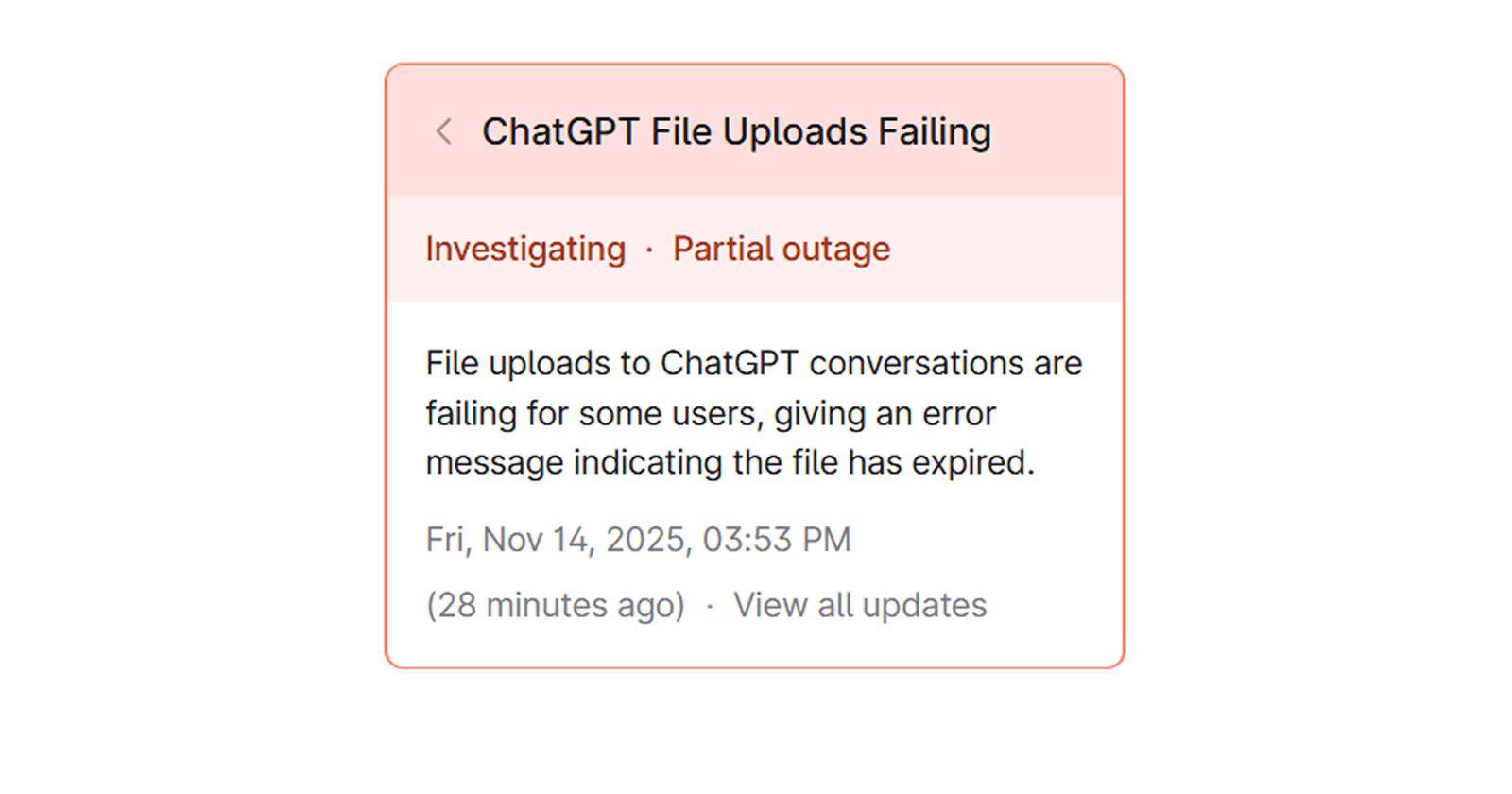
Simultaneously, many users interacting directly with the ChatGPT interface found that file uploads were failing. The common error message indicated that the file had "expired," even when it was just selected for upload. This issue prevented users from performing tasks that require context from documents, such as analyzing a PDF report, debugging code from a script file, or summarizing data from a spreadsheet.
If you encounter a similar file upload issue in the future, follow these steps:
- Confirm Service Status: First, check the OpenAI status page. If there is a known issue with file uploads, the only solution is to wait for a fix.
- Try a Different File: If the service appears operational, try uploading a smaller, simpler file (e.g., a basic .txt file) to see if the issue is with the original file's size or format.
- Refresh Your Session: Log out of your OpenAI account and log back in. This can sometimes resolve session-related glitches that interfere with functions like uploads.
- Wait and Retry: During partial outages or periods of high demand, some features may be intermittently available. Waiting 15-30 minutes and trying again can sometimes be effective.
Strategies for Managing Future Service Disruptions
Relying on any single cloud service introduces a point of failure. Proactive planning can significantly reduce the impact of the next inevitable outage.
- Develop a Backup Plan: For mission-critical tasks, identify alternative tools. If you use ChatGPT for writing, have a secondary AI writer or even a set of templates ready. Developers using the API could build in a failover mechanism to switch to another large language model provider if OpenAI's API is unresponsive.
- Manage User Expectations: If your own application or service relies on the ChatGPT API, it's crucial to have a communication plan. Use a status page or in-app notifications to inform your users about the disruption. Transparency can help maintain user trust even when your service is affected by a third-party outage.
- Avoid Dependent Workflows During Outages: If you know the service is down, shift your focus to tasks that don't require it. This is more productive than repeatedly trying to access a service that is confirmed to be offline. Pausing your work and returning to it later ensures you don't lose progress or create errors by working with an unstable tool.
As our dependence on generative AI platforms grows, understanding their points of failure becomes essential. By adopting a structured approach to troubleshooting and planning for disruptions, you can maintain productivity and resilience in your workflow.