YouTube AI Features: A Guide for Video Creators
HyppeSocial November 26th, 2025 YouTube
YouTube AI Features: A Practical Guide for Creators
The integration of YouTube AI features is fundamentally changing how creators produce and edit video content. As the platform expands access to its suite of generative AI tools, understanding their practical applications is essential for staying efficient and engaging your audience. These tools are designed to streamline complex editing tasks, generate new creative assets, and enhance community interaction directly within the YouTube ecosystem. This guide provides a detailed look at these new capabilities and offers concrete examples of how you can incorporate them into your workflow.
Streamline Shorts Production with New YouTube AI Features
For creators focused on short-form content, several new AI tools directly address the challenges of rapid production. Instead of spending hours editing, you can leverage AI to generate content quickly and maintain a consistent posting schedule. These features are particularly useful for repurposing existing content and adding professional touches to your Shorts.
- AI-Generated Standalone Clips: This feature allows you to create a YouTube Short using an AI prompt. For example, a food blogger could take a 20-minute video about baking a cake and use a simple text prompt like, "Create a 30-second Short showing the process of frosting the cake," to instantly generate a clip. This saves significant time in finding and trimming the right footage.
- AI Green Screen Backgrounds: The green screen tool generates custom backgrounds for your Shorts. A creator making educational content about historical events could record themselves speaking and then use AI to generate a background depicting ancient Rome, adding visual context without needing a physical green screen or expensive stock footage.
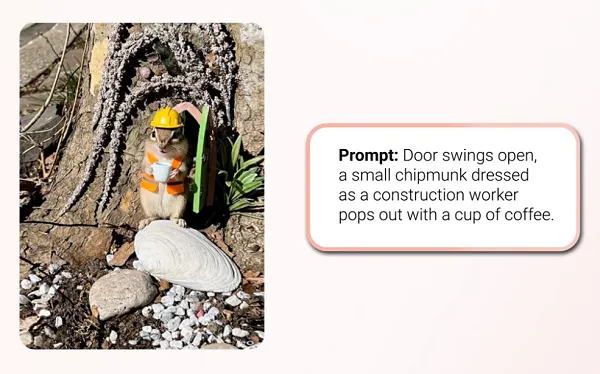
- Upgraded Shorts Generation Model: YouTube has improved the AI engine behind its Shorts creation tools, now powered by Google DeepMind's advanced V3 model. This upgrade allows for the creation of slightly longer AI-generated clips (up to 8 seconds, from 6) and, more importantly, provides better synchronization of sound effects, ambient audio, and speech, making the final output feel more polished and natural.
Transforming Static Media into Dynamic Video Content
One of the most interesting developments is the ability to create video from non-video assets. These tools open up new possibilities for channels that rely heavily on still images, audio, or archival material, allowing them to produce engaging video content with minimal resources.
A key new function is an improved image-to-video process. This enables you to upload a still image and use a text prompt to animate it. Imagine a history channel that can now bring old photographs to life, making historical figures appear to subtly move or breathe. An artist could use this to create animated versions of their portfolio, showcasing their work in a more dynamic format for their channel. You can even add AI-generated speech to give the video a voiceover.
Additionally, a new “speech-to-song” feature can convert a regular spoken-word recording into a musical track. A podcaster could use this to create a unique, catchy intro for their show, or a storyteller could transform a dramatic monologue into a short musical piece for a more impactful social clip. These tools lower the barrier for creating multimedia content that captures viewer attention.
Practical AI Editing with the YouTube Create App
The YouTube Create app, a separate mobile editor designed for Shorts, is also receiving significant AI enhancements. The integration of Google’s Veo 3 Fast model brings powerful video generation capabilities directly into the editing workflow. This is particularly useful for generating b-roll or specific shots that you were unable to capture during filming.
For example, a real estate agent filming a house tour on a cloudy day could use a prompt like, "A vertical shot of a suburban house with a sunny blue sky," to generate a perfect establishing shot. The AI allows for control over lighting and style to ensure the generated clip matches the existing footage.
The “Edit with AI” feature within YouTube Create further simplifies the process. Here’s a typical workflow:
- Upload Raw Footage: Start by uploading all the video clips you've recorded directly from your phone.
- Use an AI Prompt: Instead of manually trimming and arranging clips, you can provide a prompt such as, "Create a fast-paced travel montage with upbeat music from these clips."
- Automatic Editing: The AI will analyze your footage, select the best segments, trim them, arrange them into a coherent narrative, and add appropriate music and effects.
- Refine and Publish: You can then make minor adjustments to the AI-generated edit before publishing it directly to your channel.
This automated process significantly reduces editing time, making it easier for creators to produce high-quality content consistently, even without extensive video editing experience.
Beyond Video Creation: Updates to Channel Identity and Community
Alongside the creative tools, YouTube is making changes to improve channel branding and community management. These updates help strengthen your connection with your audience and build a more consistent brand identity.
First, YouTube is prioritizing user handles over channel names as the primary identifier in more places, including live chat and channel memberships. Your @handle will now be the main way users see and interact with you, creating a more unified identity that aligns with other social media platforms. This is a good reminder to ensure your handle accurately reflects your channel's brand.
The Communities feature has also received important updates. According to industry research, channels that actively use the Community tab see an increase in post impressions and likes on average. To support this, YouTube has expanded access to desktop, allowing channel managers to moderate posts and manage settings more easily. A new feature also allows creators to pin a post to the top of their Community feed on mobile. This is perfect for a welcome message, a link to your latest video, or a poll to set the tone for your community space and keep important information visible.
These enhancements, from powerful YouTube AI features to refined community tools, provide a robust toolkit for creators. By exploring these options, you can improve your production quality, save valuable time, and build a stronger, more engaged audience on the platform.